
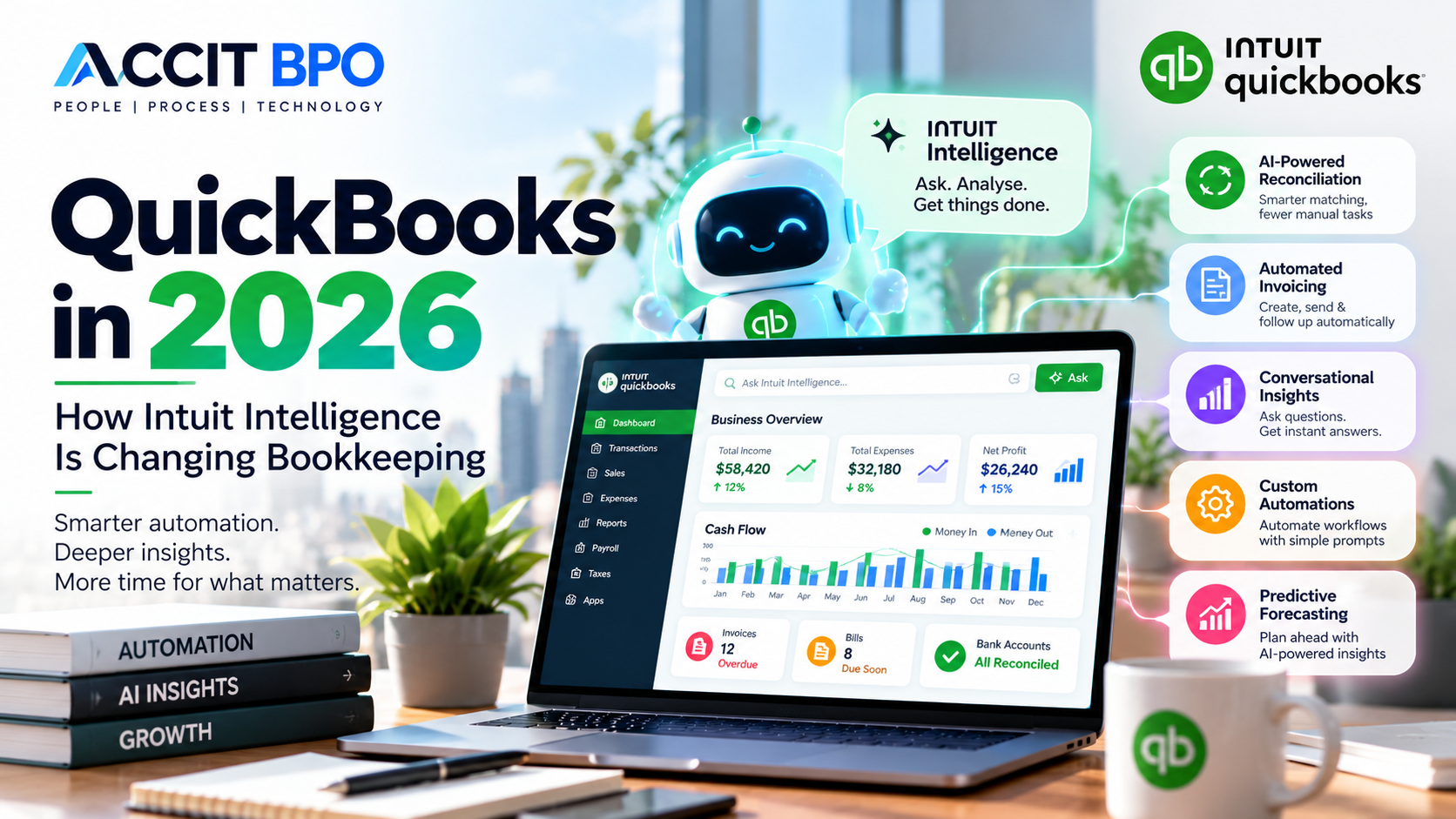
QuickBooks has been one of the most widely used accounting platforms for small businesses, accountants and growing companies for many years.
But QuickBooks in 2026 is entering a new era.
The biggest change isn't simply a redesigned interface or improved accounting feature.
It is artificial intelligence.
With Intuit Intelligence, QuickBooks is increasingly able to understand business data, answer questions, automate repetitive workflows and provide financial insights.
This is changing the way businesses and accounting professionals approach bookkeeping.
Instead of accounting software simply recording what happened, the technology is increasingly helping users understand what is happening, why it is happening and what they can do next.
So, what exactly is changing in QuickBooks in 2026?
What Is Intuit Intelligence?
Intuit Intelligence is an AI and business intelligence capability built into QuickBooks.
It connects with a business's QuickBooks data to provide conversational answers, financial insights and automated workflows.
Users can ask questions in natural language instead of manually searching through multiple reports.
For example:
- "What is driving my expenses?"
- "What invoices are overdue?"
- "Show me my sales trend."
- "What needs attention in my books?"
- "Create a profit and loss report."
Intuit Intelligence can also help perform certain tasks rather than simply providing information. QuickBooks
This represents an important change in how businesses interact with accounting software.
1. AI-Powered Bookkeeping Is Becoming More Practical
Traditional bookkeeping automation generally followed this model:
Software suggests → Bookkeeper reviews → Bookkeeper approves
AI-powered bookkeeping is moving toward:
AI analyses → AI prepares the work → Human reviews exceptions → Human approves
QuickBooks' Accounting AI provides AI-powered suggestions for categorisation and transaction processing, including groups of transactions that the system has high confidence can be posted. QuickBooks
This can reduce the amount of repetitive bookkeeping work while keeping professional review within the workflow.
The objective isn't to remove the bookkeeper.
It is to allow the bookkeeper to spend less time processing routine transactions and more time reviewing exceptions and analysing financial information.
2. Smarter Bank Reconciliation
Bank reconciliation has traditionally been one of the most time-consuming bookkeeping activities.
QuickBooks has been improving its transaction-matching capabilities using AI-powered suggestions and confidence indicators.
The system can identify likely matches and broaden its search when transactions involve delayed deposits, batched payments or other situations where a simple match may not be obvious. QuickBooks
This creates a more efficient workflow:
AI identifies potential matches → Bookkeeper reviews → Exceptions receive additional investigation.
For businesses with high transaction volumes, this can potentially reduce manual processing considerably.
However, reconciliation still requires appropriate review.
A transaction being automatically matched does not mean that professional judgement is no longer required.
3. Custom Automations Without Coding
One of the most interesting developments in QuickBooks in 2026 is Custom Automations.
Users can describe a recurring task in plain English, and Intuit Intelligence can create an automation around it.
For example:
"Send me a profit and loss summary every Friday."
Or:
"Draft reminder emails for invoices that are three days overdue."
The automation can then be scheduled and managed through the Automation Hub. QuickBooks
This means businesses don't necessarily need technical knowledge to automate repetitive accounting-related workflows.
For accounting teams, this could be particularly useful for:
- Recurring reports
- Invoice reminders
- Duplicate-bill checks
- Customer follow-ups
- Month-end tasks
- Business summaries
- Financial monitoring
Some AI automation capabilities remain in beta or have plan-specific availability, so businesses should check their QuickBooks subscription and market before relying on a particular feature. QuickBooks
4. Automated Invoicing
QuickBooks is also using Intuit Intelligence to improve the invoicing workflow.
In supported QuickBooks Online plans, users can use saved documents such as statements of work and sales orders to help draft invoices for review.
The system can also help identify overdue invoices and prepare reminder workflows. QuickBooks
The traditional workflow:
Check documents → Create invoice → Send invoice → Track payment → Send reminder
can increasingly become:
AI identifies billing requirement → Draft invoice → Human review → Send → Automated follow-up
For businesses with recurring billing, this can save significant administrative time.
5. Conversational Financial Insights
Another major change is the way business owners can interact with financial information.
Instead of opening several reports, users can ask questions using natural language.
For example:
"Why did my expenses increase?"
"What were my biggest expenses this month?"
"How is my revenue performing compared with last year?"
"What is affecting my cash flow?"
"What invoices are still outstanding?"
Intuit Intelligence is designed to provide answers and insights based on the business's QuickBooks data. QuickBooks
This can make financial information more accessible to business owners who may not have an accounting background.
6. AI-Powered Forecasting
AI is also moving beyond historical reporting.
QuickBooks' Intuit Intelligence can use historical financial information to create forecasts for income, expenses and cash flow.
Businesses can also use scenario analysis to explore potential decisions, such as hiring an additional employee. QuickBooks
This can help transform financial data from something businesses look at after the fact into something they can use for planning.
For example:
What happens if sales increase by 15%?
What happens if we hire another employee?
How could a change in expenses affect cash flow?
These questions can help business owners make more informed decisions.
7. QuickBooks Is Moving Toward Continuous Bookkeeping
Perhaps one of the most important changes is the movement toward bookkeeping that happens continuously rather than only at month-end.
QuickBooks' newer AI capabilities are designed to help categorise, reconcile and maintain books throughout the month. Intuit has also introduced expert-supported bookkeeping services alongside its AI capabilities. QuickBooks
Instead of waiting until the end of the month to discover:
- unreconciled transactions
- missing information
- incorrect categorisation
- outstanding invoices
- unusual transactions
businesses can increasingly identify issues during the month.
This creates a more proactive bookkeeping model.
8. Does AI Replace Bookkeepers?
This is probably the biggest question businesses and accounting professionals are asking.
Will AI replace bookkeepers?
Our view is that AI is more likely to change the role of the bookkeeper than eliminate it.
Consider the difference.
Tasks increasingly suitable for automation:
- Transaction categorisation
- Basic transaction matching
- Data extraction
- Recurring reports
- Invoice reminders
- Routine financial summaries
- Identifying potential anomalies
Tasks that still require professional judgement:
- Reviewing unusual transactions
- Accounting treatment decisions
- Complex reconciliations
- Understanding business context
- Tax-sensitive transactions
- Financial analysis
- Compliance considerations
- Client communication
- Advisory and decision support
The value of the professional therefore moves further away from data entry and toward review, interpretation and advice.
9. What Does This Mean for Accounting Firms?
The impact of AI could be particularly significant for accounting firms.
Accounting practices often manage large volumes of repetitive bookkeeping work across multiple clients.
AI can potentially help firms:
- Process transactions faster
- Automate repetitive workflows
- Identify exceptions
- Improve bookkeeping consistency
- Prepare reports more efficiently
- Provide faster financial insights
- Increase capacity without increasing manual workload
QuickBooks is also developing AI capabilities specifically for accounting professionals, including workflows designed to work across client files and support recurring accounting tasks. QuickBooks
This creates an opportunity for accounting firms to rethink how their teams operate.
Instead of:
More clients → More manual work → More staff
the future can increasingly become:
More clients → Better technology → AI automation + Skilled accounting team
10. What Should Businesses Do Now?
Businesses using QuickBooks don't need to automate everything immediately.
Instead, start strategically.
1. Identify repetitive tasks
Look for bookkeeping processes that consume significant time but require limited judgement.
2. Clean your accounting data
AI depends on reliable financial information.
Incorrect account mapping, duplicate transactions and incomplete records can reduce the quality of automated processes.
3. Maintain human review
AI-generated suggestions should be reviewed appropriately, particularly for financially significant transactions.
4. Establish approval controls
Payments, invoices, payroll and other sensitive activities should have clearly defined approval procedures.
5. Train your accounting team
The future bookkeeping professional will need both:
Accounting knowledge + Technology knowledge
6. Measure productivity
Track whether automation is actually reducing processing time and improving accuracy.
QuickBooks + AI: What Is the Future of Bookkeeping?
QuickBooks in 2026 is moving beyond traditional accounting automation.
With Intuit Intelligence, Accounting AI, Custom Automations, AI-powered transaction matching, automated invoicing, conversational insights and forecasting, QuickBooks is becoming increasingly intelligent. QuickBooks
But the future isn't about replacing accountants and bookkeepers.
It is about removing unnecessary manual work.
The modern bookkeeping workflow is increasingly becoming:
AI processes → Bookkeeper reviews → Accountant interprets → Business owner decides
That creates an opportunity for accounting professionals to spend less time on repetitive processing and more time delivering value.
How ACCIT BPO Can Help
At ACCIT BPO, we combine experienced bookkeeping professionals with modern accounting technology to support businesses and accounting firms.
Our team works with platforms including:
QuickBooks | Xero | Zoho Books | MYOB | Sage | SAP
Our services include:
- QuickBooks bookkeeping
- Bank reconciliation
- Accounts payable
- Accounts receivable
- Monthly bookkeeping
- Bookkeeping cleanup
- Catch-up bookkeeping
- Accounting software migration
- Financial reporting
- Data migration
- Accounting system support
We can also support accounting firms with outsourced, overflow and white-label bookkeeping services, allowing firms to increase capacity while maintaining professional review and client relationships.
The Future Is AI + Human Expertise
AI can process information.
But understanding the business behind the numbers still requires people.
The strongest bookkeeping model isn't:
AI vs Bookkeeper
It is:
AI + Bookkeeper + Accountant + Business Insight
At ACCIT BPO, we believe technology should give accounting professionals more time to focus on the work that requires experience, judgement and expertise.
The future of bookkeeping isn't about replacing people with AI.
It's about using AI to make people more effective.